
Below are examples of input scenarios. Most of these fields are NOT required.
You can enter as little or as much information as you want. Our Inventory System is more beneficial to you when you add the details.
You must create Storage Locations and Stores before entering a product item in order to see them in the select lists.
Contact us if you have any questions about entering your specific product item.
You can enter as little or as much information as you want. Our Inventory System is more beneficial to you when you add the details.
You must create Storage Locations and Stores before entering a product item in order to see them in the select lists.
Contact us if you have any questions about entering your specific product item.
Below you can read through a detailed tutorial for adding a basic Product Item.
Basic Example: Purchased Can of Del Monte French Style Green Beans No Salt Added
Placed them in your Lazy Susan
Want an alert sent 1 month before exp.
The RED text & asterisk indicate that this is a required field.Product Company & Product Title
Enter the following values:
Product Type: Del Monte
Product Item Title: French Style Green Beans No Salt Added

Product Type & Storage Location:
Use the Search to find Canned Beans and click the Add button

You must create your storage locations in order to choose them from the select list.
Select Lazy Susan
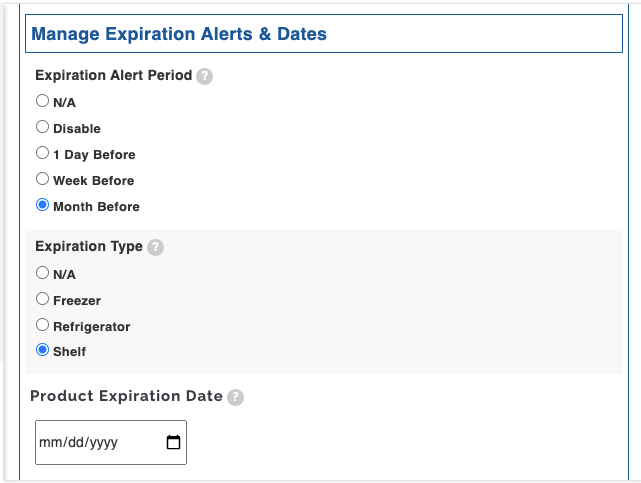
Expiration Alerts & Dates
Expiration Alert Period: Month Before
Expiration Type: Shelf
Product Expiration Date: Enter the expiration date on the can
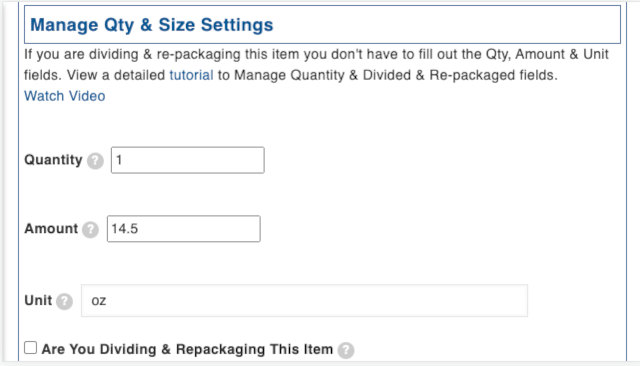
Manage Quantity
Fill out the fields below for purchased item that are NOT going to be re-packaged.
If you were re-packaging the item you would click the box next to: Are you Dividing or Repackaging this Item?
Product Details
Fill out the remaining optional fields.

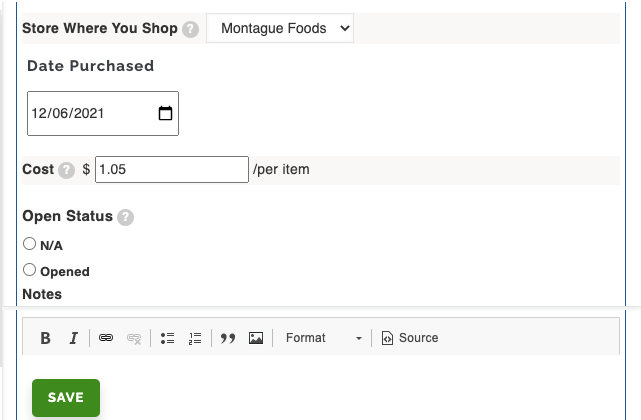
Opened Status: Leave this set to N/A
Notes: Use this to add a note about the item.
Save the Product Item!
Below you can read through a detailed tutorial for adding a homemade Product Item.
Made Homemade Chili with 88% Lean Ground Beef
Placed them in your Basement Freezer
Created 3 packages with 4 servings per package
Want an alert sent 1 week before exp.
The RED text & asterisk indicate that this is a required field.Product Title
Check the Is This a Homemade Item box and add the Title

Product Type & Storage Location:
You can enter multiple types. Use the Search to add Canned Beans and click the Add button
Also add Beef, Ground & Patties

You must create your storage locations in order to choose them from the select list.
Select Basement Freezer
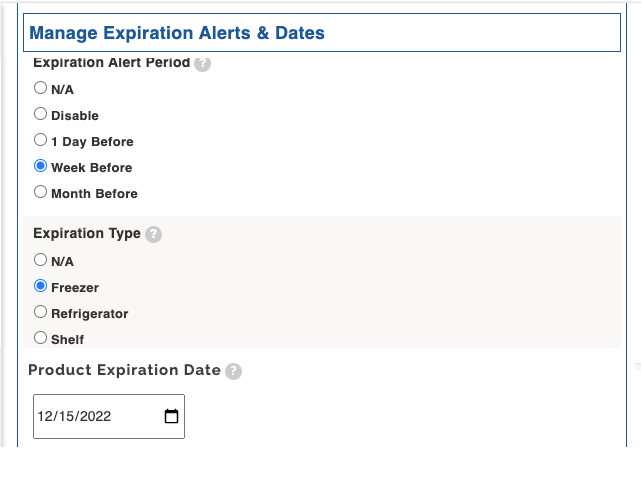
Expiration Alerts & Dates
Expiration Alert Period: Week Before
Expiration Type: Freezer
Product Expiration Date: Enter the expiration date you estimate this will last in your freezer.
Manage Quantity
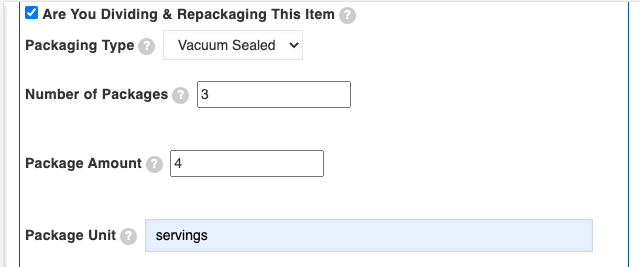
This is a homemade item that we are packaging up and adding to the freezer.
Click the box next to: Are you Dividing or Repackaging this Item?
We have 3 packages of 4 servings each.
Product Details
Fill out the remaining optional fields.

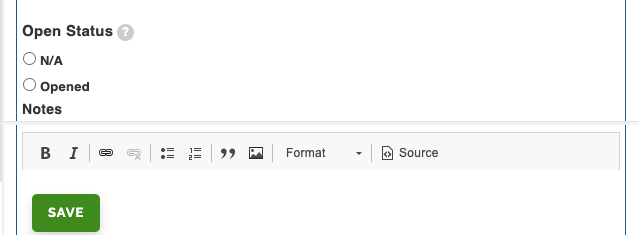
Opened Status: Leave this set to N/A.
Notes: Use this to add a note about the item.
Save the Homemade Product Item!
Below you can read through a detailed tutorial for adding a Frozen Product Item to the Freezer.
Purchased a frozen package of Minh Pork Egg Rolls and placed them in your Kitchen Freezer
Want an alert sent 1 month before exp.
The RED text & asterisk indicate that this is a required field.Product Company & Product Title Enter the following values:

Product Type & Storage Location:

Use the Search to find Frozen Appetizers & Snacks and click the Add button
You must create your storage locations in order to choose them from the select list.
Select Kitchen Freezer
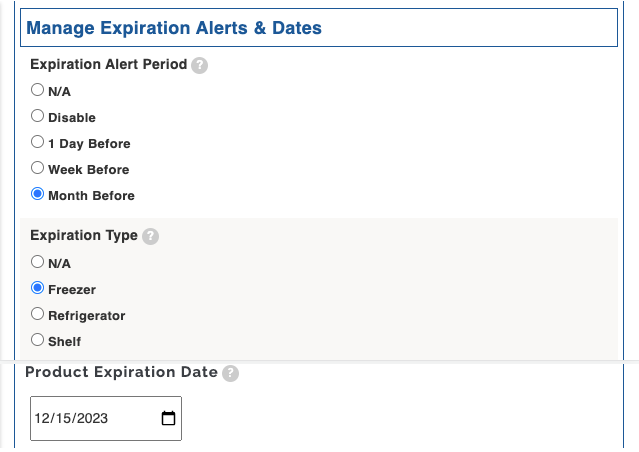
Expiration Alerts & Dates
Expiration Alert Period: Month Before
Expiration Type: Freezer
Product Expiration Date: Enter the expiration date on the package.
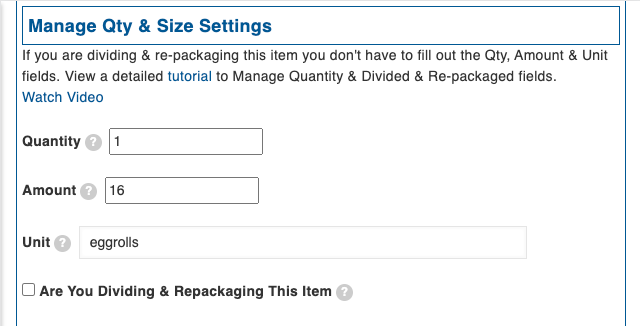
Manage Quantity
Qty: Enter 1
The quantity is the # of packages. So even though the package contains 16 egg rolls you will enter 1.
Enter 16 in Amount and Egg Rolls in Unit.
Product Details
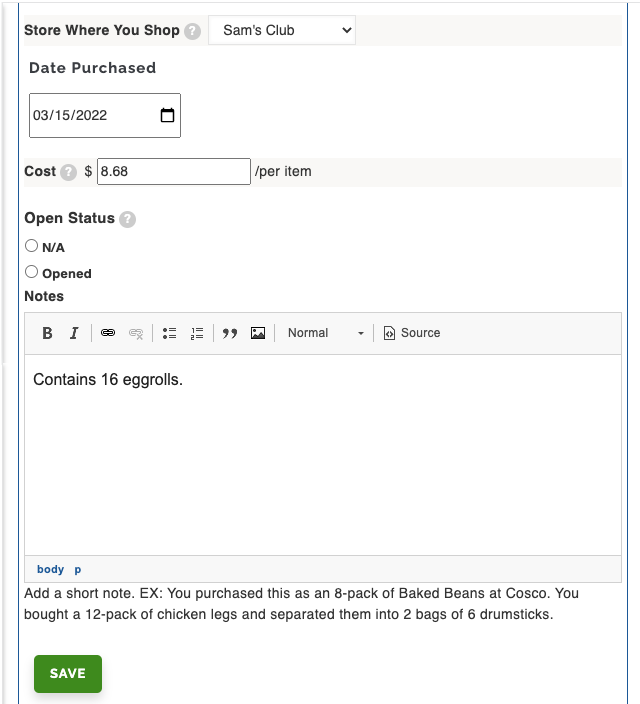
Fill out the remaining optional fields.

In the Quantity area above, you could have entered the weight of the box and put a note in the notes field below. Notice that the Notes field contains some text. Contains 16 egg rolls
Opened Status: Leave this set to N/A.
Save the Product Item!
Opened a frozen package of 16 Minh Pork Egg Rolls that are in your Kitchen Freezer
You took out 4 egg rolls.
Steps:1. Open your Main Inventory View by Clicking on the Search Inventory button

2. Use the filters to easily find the egg rolls and click on the title.
You can use any of the filters to find your item. They are set to contain so you don't have to type in the full title. We are going to type Egg Roll into the title field.
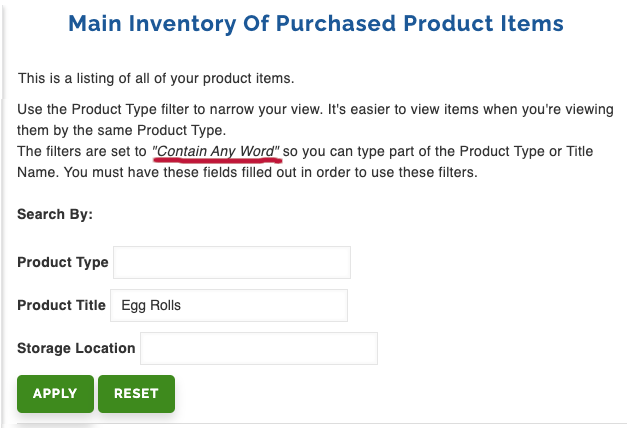
Click on the title.

3. Click on edit

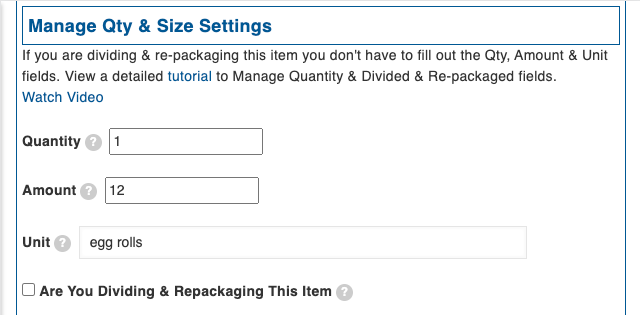
4. Depending on how you initially entered the quantity (you could have entered the weight of the box) you will:
a. Change the Amount field to 12
OR
b. Change the qty in the Notes field to reflect how many egg rolls you have left in the box.

5. Click the Opened Status checkbox to Opened.

Save the Product Item!